System / Audit Logs
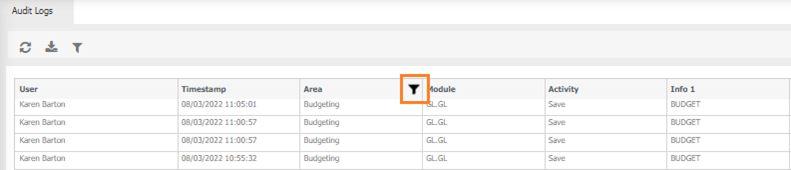
Univerus keeps track of permission changes. Activities are logged and stored in the database. Log entries are created whenever menu item permissions are added or deleted for users/roles. At this stage, the audit logs are created for data access and menu item permission, and Budget Entry.

User - who made the change.
Timestamp - when the change was made.
Area - where the change was made, for example Permissions, budgeting etc
Module - what has changed, eg Menu items, data access, dataset code etc
Activity - was the item added, deleted etc
Info 1, Info 2, Info 3, Info 4 and Info 5 - These fields contain different information depending what has been logged.
 Refresh - Refreshes the screen.
 Export - Select a date range to Export to excel for further manipulation.
 Filtering - filter a particular column.
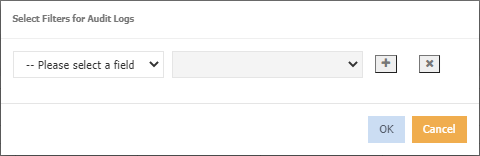
 Multiple filters can be applied.
 Remove a filter
- Choose an option from the --Please select a field drop down.
-
Based on the option chosen, select a value from the - Please select a value drop down, for example
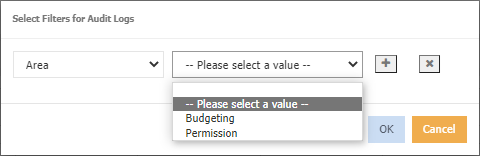
-
Click ok, the results will be displayed, A filter icon displays in the header, for example